How to Test a Klaviyo Flow Before Turning It Live
A Klaviyo flow can be active while individual messages are still wrong, links are broken or customers are excluded by a filter. Testing the complete route before launch prevents a live audience becoming the quality-control process.
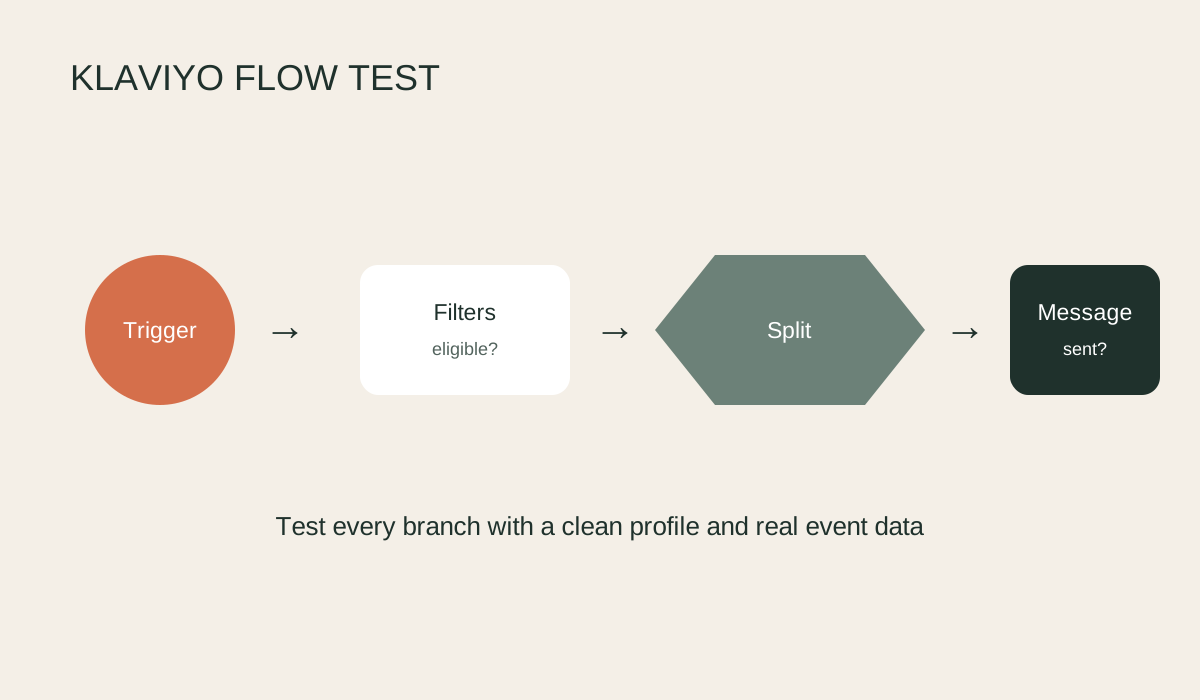
Test the flow from trigger to exit
- Map the intended journey. Write down the trigger, profile filters, flow filters, splits, delays, messages and exit conditions. This gives you an expected route to compare with the test.
- Check trigger eligibility. Use a test profile that is not suppressed and does not already have event history that prevents re-entry. For list-triggered flows, add a fresh address to the correct list.
- Put messages into Manual while testing. This lets profiles enter the flow without sending automatically. Reduce time delays temporarily only if you record and restore every change.
- Trigger the journey yourself. Perform the real action, such as submitting the form, starting checkout or placing a test order. Confirm the event and its properties appear on the profile.
- Open the flow's recipient activity. Find the test profile and inspect its path. If it was skipped, open the skipped reason and compare it with filters, consent, Smart Sending and message status.
- Preview every message with real event data. Check personalisation, product blocks, fallback text, sender details, links, discount codes, mobile layout and plain-text version.
- Test every branch. Use separate profiles or event data to force each conditional split. Do not assume the less common path works because the main path does.
- Restore the production settings. Reinstate delays, Smart Sending rules and message status, then review the full flow once more before turning it live.
Keep proof of the test
Record the test addresses, order numbers, screenshots, links checked and final settings. For revenue-critical flows, ask another person to complete a second test because the builder often reads what they expected to configure.
After launch, check queued, delivered, skipped and error activity during the first day. A successful preview proves the content can render, while live monitoring proves real profiles are entering and receiving it as intended.
Verification notes
Use Preview trigger setup, send test messages and add a real internal profile through the trigger. Then inspect Recipient Activity for skipped profiles. A test email checks layout, but it does not prove trigger filters, delays, Smart Sending or consent work.
Source checked
This guide was checked against Klaviyo flow testing guidance.

Olivia Robinson
After arriving at a fork in the road in my career I decided to take the plunge and wander purposefully, with determination, into the maelstrom of consultancy in online sales. It's been the most exciting decision I've ever made and I've been able to work with some of the most interesting brands the UK has to offer. I specialise in the intersection of ecommerce and marketing, the part of the Venn diagram that eCommerce & Marketing people don't like to occupy because it takes a lot of plate spinning - this is where I thrive.
We will happily conduct a free, no-obligation audit on your digital channels, with several key takeaways you can action yourself or request for us to assist you with. It's completey free for now but it is a limited time offer.
Explore more blogs